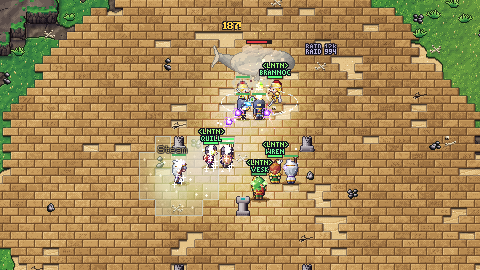
The best way to play
In Discord
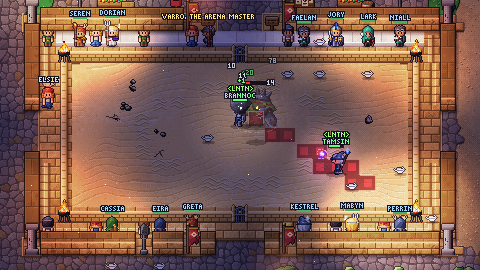
Aetherchord runs inside Discord as an Activity, on your computer, in Discord's web app and on your phone. No download and no password.
 Kestrel
 Mabyn
 Seren
 Perrin
- Press Play in DiscordDiscord opens, in its app if you have it or in your browser. Sign in to Discord if it asks.
- Pick where to playA voice channel on a server, or a chat with your friends. Everyone there sees Aetherchord running and can join you with one click.
- Let the game know who you areThe first time, Discord asks to share your Discord name and email with Aetherchord. Press Authorize. It does not ask again.
- Choose your account nameKeep the name from Discord or pick another, tick that you are 16 or older and accept the terms, and press Start playing. Your Discord is your sign-in.
- Make your character and play togetherChoose a class and step ashore. Under your party frames, Invite friends asks the rest of the channel along, and Party up pulls everyone in the Activity into one party.
- On a phone: Discord's app runs it too. Turn the phone sideways.
- Already play in the browser? Press Have an account? Log in, log in as usual and tick Link my Discord. The same characters, wherever you play.
- Run a server? Add Aetherchord to it, and anyone there can start it from the Activities button (the rocket) in a voice channel.
- Bring a friend: share the game from inside it. When a friend new to Aetherchord has played 30 minutes, you both wear the Kindred Aura.
In your browser
The same game on any computer or phone with a modern browser. Nothing to install.
- Press Play in your browserOr go to play.aetherchord.com. If nobody has played for a while, the world wakes up first: a bar fills while you wait, usually within a minute.
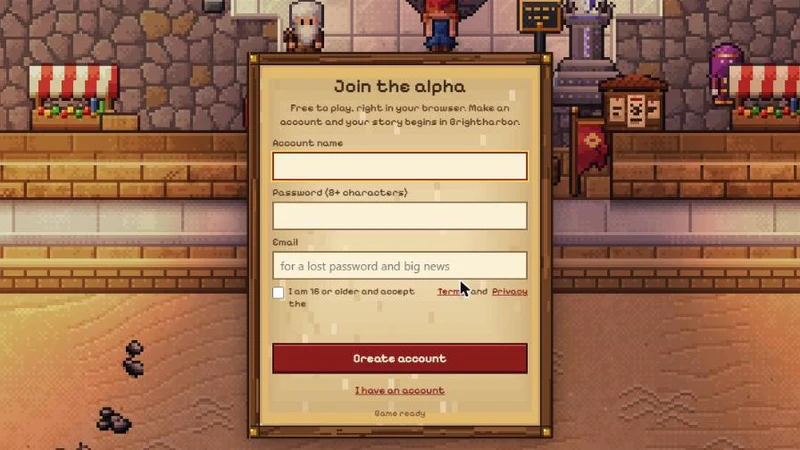
- Create an accountAn account name, a password of at least 8 characters and your email, for a lost password. Tick that you are 16 or older and press Create account.
- Make your characterChoose one of the eight classes, give them a name and step ashore.
Want to play with friends in Discord later? Log in once inside Discord with the same account and link it.
Stuck?
Ask in our Discord server, where players and the two of us answer, or write to contact@aetherchord.com.